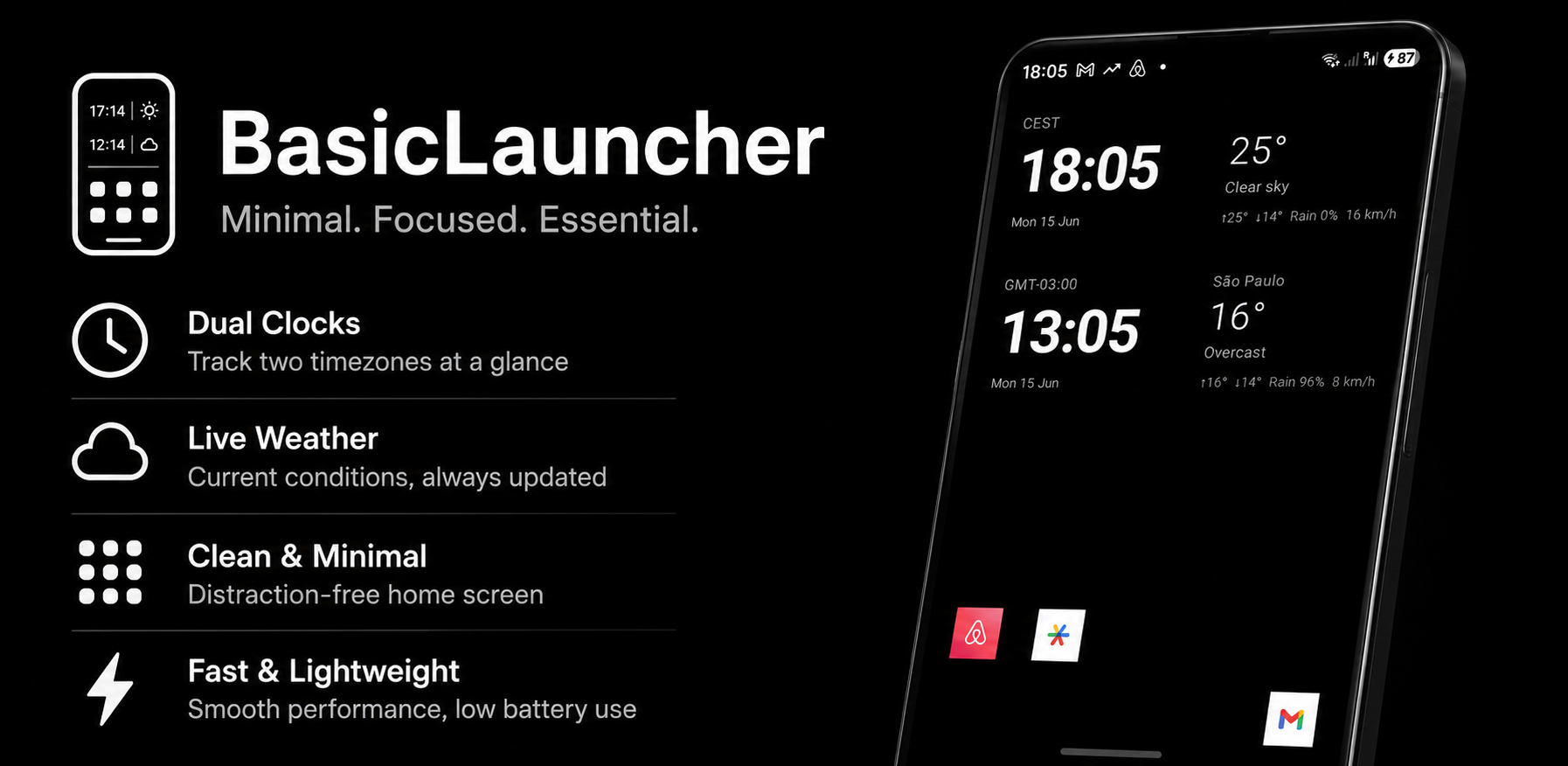

BasicLauncher is a distraction-free home screen replacement that puts the essentials front and center: the time, the weather, and your most-used apps — nothing else.
Designed for people who want a clean, fast, and fully customizable launcher without the clutter of widgets, news feeds, or bloatware.
Clean home screen
A large clock and live weather side by side. Date, high/low temperature, precipitation chance, and wind speed at a glance. Swipe up to open the full app drawer, swipe right for settings.
Live weather
Current temperature, conditions, daily high/low, rain probability, and wind speed — updated automatically. Uses your GPS location or a city you choose. Powered by Open-Meteo, a free and open-source weather service.
Two clocks
Add a second clock for any timezone in the world — useful when traveling or working across time zones. Each clock has its own label, weather panel, and location.
App drawer
All your installed apps in a clean alphabetical list with section headers. Jump to any letter instantly using the sidebar.
Recent apps
A swipe-left panel shows your recently launched apps for quick switching. Choose how many to display (5 to 25).
20 app shortcuts
Pin up to 20 apps in a 4×5 grid on the home screen for one-tap access. Long-press any slot to change it.
Fully customizable
Privacy first
No accounts. No ads. No analytics. No data collection. Your settings are stored locally on your device. The only network requests are to Open-Meteo for weather data.
Designed for people who want a clean, fast, and fully customizable launcher without the clutter of widgets, news feeds, or bloatware.
Clean home screen
A large clock and live weather side by side. Date, high/low temperature, precipitation chance, and wind speed at a glance. Swipe up to open the full app drawer, swipe right for settings.
Live weather
Current temperature, conditions, daily high/low, rain probability, and wind speed — updated automatically. Uses your GPS location or a city you choose. Powered by Open-Meteo, a free and open-source weather service.
Two clocks
Add a second clock for any timezone in the world — useful when traveling or working across time zones. Each clock has its own label, weather panel, and location.
App drawer
All your installed apps in a clean alphabetical list with section headers. Jump to any letter instantly using the sidebar.
Recent apps
A swipe-left panel shows your recently launched apps for quick switching. Choose how many to display (5 to 25).
20 app shortcuts
Pin up to 20 apps in a 4×5 grid on the home screen for one-tap access. Long-press any slot to change it.
Fully customizable
- Choose your font: system default, serif, monospace, or cursive
- Set icon shape: system default, circle, rounded square, or square
- Icon color: full color, grayscale, or grayscale on home screen only
- Colorize grayscale icons with your primary text color
- Pick any color for background, primary text, and secondary text — with a full HSV color picker
- 12-hour or 24-hour time, custom date format, Celsius or Fahrenheit, km/h or mph
Privacy first
No accounts. No ads. No analytics. No data collection. Your settings are stored locally on your device. The only network requests are to Open-Meteo for weather data.